
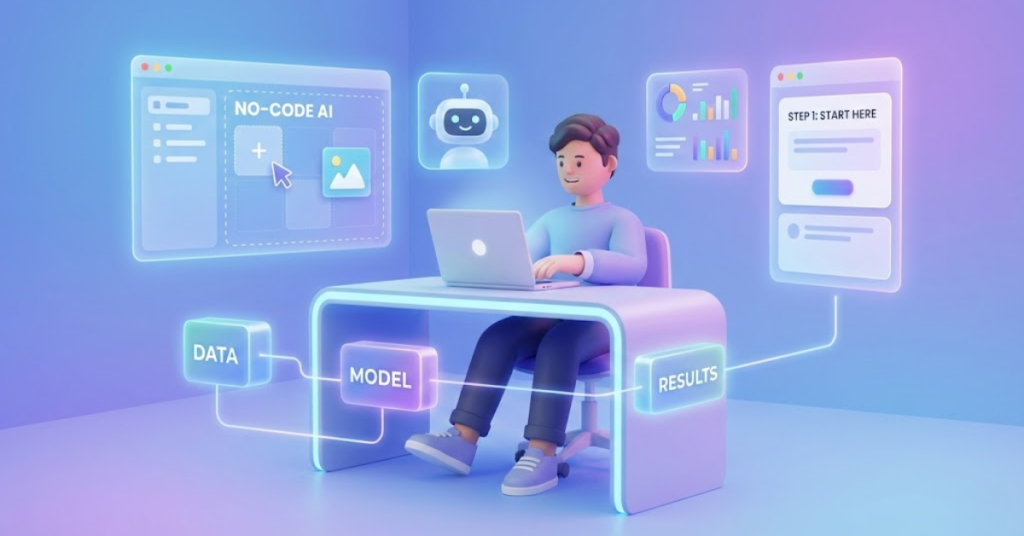
Artificial Intelligence may feel like a complex field filled with programming, math, and algorithms,but the truth is very different today. Modern AI tools have evolved so much that you no longer need coding skills to get started, experiment, build projects, or even create useful applications. Whether you are a student, entrepreneur, content creator, or someone simply curious about the future of technology, you can begin learning AI right now with accessible tools and a practical roadmap.
This guide explains exactly how to begin learning AI without knowing how to code, what tools you can use, what concepts you should learn, and how to build real projects step by step.
1. Understand What AI Really Means
Before touching any tool, it’s important to have a clear idea of what AI actually is. Without coding, you can still learn the foundations:
Artificial Intelligence
The big umbrella concept. Any system that can act intelligently,recognize patterns, make predictions, or respond to inputs,is AI.
Machine Learning
A branch of AI where systems learn from data. Even without coding, you can train ML models using no-code platforms.
Deep Learning
A subset of ML that uses neural networks. Tools today allow you to build and train deep learning models without writing a single line of code.
You don’t need technical depth yet, just a high-level understanding. This conceptual clarity helps you follow tutorials, build projects, and communicate with technical teams in the future.
2. Start With No-Code AI Tools
One of the biggest reasons non-coders can enter AI easily is the explosion of no-code AI platforms. These tools let you drag-and-drop data, upload images, train models, visualize predictions, and deploy AI applications,all through graphical interfaces.
Here are the most beginner-friendly tools –
1. Google Teachable Machine
A web-based tool to train image, audio, and pose-recognition models.
You simply upload data, train the model, and export it instantly.
You can build,
- hand gesture recognition
- voice classification
- image sorting models
2. Microsoft Lobe
A powerful visual tool for training image classification models.
It automatically handles data splitting, training, model evaluation, and export.
3. Runway ML
A creative tool used for,
- video editing with AI
- image generation
- style transfer
- green screen effects
Perfect for designers and content creators.
4. ChatGPT, Claude, or Gemini
AI assistants that help with text generation, summarizing, idea creation, planning, and learning concepts interactively.
5. Canva AI
Allows beginners to use AI for,
- designing
- improving text
- generating images
- creating videos
- editing automatically
You can achieve professional results without technical knowledge.
6. Notion AI
Useful for productivity, planning, writing, and organizing information.
Beginners use it to explore how AI improves workflow.
These tools make AI approachable and practical. You gain real hands-on experience without any programming effort.
3. Learn AI Concepts Through Simple, Practical Examples
You don’t need math courses or coding tutorials at the beginning. Instead, focus on understanding AI through real-world examples,
Image Recognition
How does a model learn that a cat is a cat?
You can try this directly in Teachable Machine without coding.
Recommendation Systems
Why does YouTube suggest certain videos?
This helps you understand ML models like classification and clustering.
Natural Language Processing
How do chatbots understand your questions?
Using ChatGPT or Gemini gives you direct experience.
Speech Recognition
How do voice assistants convert speech into text?
Explore this through no-code audio classification tools.
When you engage with simple examples, AI becomes much easier to understand because you see how it works instead of reading theory.
4. Build Small No-Code AI Projects
The best way to learn AI is by doing.
Here are beginner-friendly projects you can complete without coding:
1. Image Classifier
Train a model that recognizes,
- fruits
- handwritten notes
- animals
- objects on your desk
Use Google Teachable Machine or Microsoft Lobe.
2. Sentiment Analysis Tool
Upload text samples and classify them as,
- positive
- negative
- neutral
Platforms like MonkeyLearn or no-code ML tools handle everything.
3. AI-Generated Art
Using Runway ML or Canva AI, you can,
- generate images
- transform photos
- create posters
- design characters
4. Chatbot Builder
Build a simple no-code chatbot using tools like,
- Dialogflow
- Botpress
- OpenAI GPT builder
5. AI-powered Notes Organizer
Use Notion AI to summarize, organize, and structure content automatically.
Every project deepens your understanding and builds confidence.
5. Learn AI Through Beginner-Friendly Courses
Even without coding skills, many courses guide you through AI foundations in clear, simple explanations.
Some excellent beginner-level resources,
1. Google AI for Everyone (Coursera)
Taught by Andrew Ng.
Explains AI concepts, applications, and workflows without programming.
2. Google Machine Learning Crash Course (Non-Coding Sections)
Focuses on core ideas and real examples.
3. Microsoft Learn – AI Fundamentals
Simple lessons covering,
- ML basics
- responsible AI
- data classification
4. YouTube Channels
Many creators explain AI simply,
- Simplilearn
- Tech With Tim (non-coding sections)
- Two Minute Papers
- Google Developers
Learning through visual examples helps build strong intuition.
6. Develop AI Thinking, Not Coding
To work with AI, you need to learn how to think like an AI practitioner, even if you never plan to program.
This includes understanding,
Problem Framing
Defining what kind of AI task you want to solve,
- classification
- prediction
- clustering
- detection
Data Understanding
Even without coding, you should know,
- how data is collected
- why data quality matters
- how datasets affect accuracy
Model Evaluation
You should understand concepts like,
- accuracy
- training vs testing
- overfitting
- bias
You don’t need calculations yet,only the concepts.
Ethical AI Use
This includes,
- avoiding biased datasets
- respecting privacy
- using AI responsibly
These skills are essential for real AI work and don’t require programming knowledge.
7. Slowly Introduce Coding When Ready
Many non-technical learners eventually discover that a little bit of coding makes new opportunities possible. But it’s entirely optional.
If you ever want to transition into coding later, start with,
- Python basics
- simple data analysis
- beginner ML libraries (later stage)
But this step comes only when you feel comfortable.
8. Create a Beginner AI Portfolio Without Coding
Even without programming, you can create an impressive portfolio,
Include –
- screenshots of AI models you trained
- simple reports explaining how they work
- AI-generated designs
- small chatbot demos
- video presentations of your experiments
This helps you –
- apply for internships
- show your learning progress
- build credibility
- attract clients or job opportunities
A good AI portfolio does not need programming.
It needs creativity and curiosity.
Conclusion
AI is no longer a field limited to programmers. Anyone can begin learning, experimenting, and building real-world AI solutions using no-code platforms and accessible educational resources.
By understanding the core concepts, using visual AI tools, building small projects, and following a structured learning path, you can gain strong AI skills without writing a single line of code. As you grow more confident, you can choose to dive deeper—but it’s not required.
Artificial Intelligence is becoming a universal skill. With the right approach, you can start learning today, even as a complete beginner.