
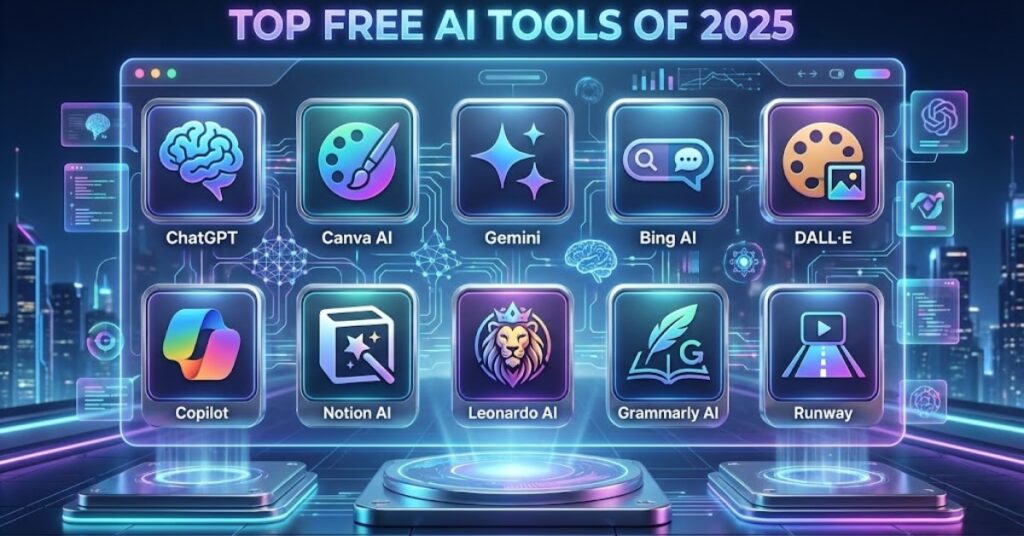
Artificial Intelligence (AI) is no longer reserved for experts or large companies. In 2025, numerous free AI tools are available that anyone can use,students, entrepreneurs, hobbyists, and beginners alike. These tools can help you create content, analyze data, generate images, learn new skills, or automate tasks.
This guide lists the top 10 free AI tools for beginners in 2025, explains their features, use cases, and how you can get started. By the end, you’ll know which tools suit your goals and how to start using them right away.
1. ChatGPT (OpenAI)
Overview
ChatGPT is an AI language model developed by OpenAI that can understand and generate human-like text. It’s one of the most versatile AI tools available for free beginners. You can use it for conversations, content creation, coding assistance, research, and more. It operates via a chat-based interface, making it intuitive for users with no technical background.
Why it stands out for beginners –
- Easy to use, no installation required
- Can generate text in multiple languages
- Learns from prompts to provide tailored responses
- Provides instant answers to a wide range of queries
Additional Tip – Use ChatGPT for brainstorming ideas. Even if your input is vague, it can suggest multiple solutions or perspectives.
Use Cases-
- Writing emails, essays, or blog posts
- Brainstorming new ideas for projects or content
- Learning basic programming or coding concepts
- Summarizing articles and reports
Mini-Activity: Open ChatGPT and ask it to summarize a complex news article. Notice how quickly it distills the information into key points.
2. Canva AI (Canva)
Overview
Canva is a popular graphic design platform that now integrates AI-powered features, making design easy for beginners. Canva AI can generate visuals, design layouts, and even copywriting content, enabling users with no design experience to produce professional-quality visuals.
Why it stands out for beginners –
- Drag-and-drop interface
- Templates for social media, presentations, and marketing
- AI text-to-image generation for creative visuals
- Built-in AI copywriting assistant for generating captions and text
Use Cases –
- Creating blog or social media graphics
- Making presentations with AI-generated images
- Generating captions, slogans, or marketing content quickly
Mini-Activity – Use Canva AI to create a social media post using an AI-generated image and text. Compare the output to a manually designed post to see the efficiency gains.
3. DALL·E (OpenAI)
Overview
DALL·E is an AI tool that generates images from textual descriptions. It can create illustrations, concept art, or visual designs with astonishing creativity. Users simply provide text prompts, and the AI generates images based on the description.
Why it stands out for beginners –
- No prior design skills required
- Can produce unique, creative visuals instantly
- Offers editing tools for refining images, such as inpainting
- Free credits allow experimentation without cost
Use Cases –
- Generating illustrations for blog posts or articles
- Creating unique images for social media campaigns
- Experimenting with artistic concepts for personal or professional projects
Mini-Activity – Type a descriptive prompt like “a serene forest with a futuristic cabin at sunrise” and see how DALL·E creates a unique image.
4. Google Colab
Overview
Google Colab is a cloud-based platform that allows users to write and run Python code directly in their browser. It’s ideal for experimenting with AI and machine learning models without needing high-end hardware. Colab provides free access to GPUs, making it suitable for beginners learning AI concepts.
Why it stands out for beginners –
- No installation required, runs entirely in a browser
- Provides pre-configured notebooks for learning AI
- Supports Python and all major ML libraries
- Free access to computing resources for experiments
Use Cases –
- Learning machine learning with hands-on coding
- Running AI models for NLP, computer vision, or audio tasks
- Testing datasets and AI algorithms before scaling
Mini-Activity – Open a Google Colab notebook and run a simple sentiment analysis model on Twitter data to see how AI interprets text.
5. Runway
Overview
Runway is an AI creative toolkit focused on video, images, and audio. It’s beginner-friendly and allows users to edit media, generate content, or create effects without advanced software knowledge.
Why it stands out for beginners –
- Easy-to-use interface for video and image editing
- Real-time collaboration for creative projects
- Pre-trained AI models for tasks like style transfer or background removal
Use Cases –
- Editing videos with AI-powered tools
- Generating AI visuals or backgrounds for creative projects
- Experimenting with visual effects for content creation
Mini-Activity – Upload a video and use Runway’s AI to automatically remove the background or apply a visual style.
6. Copy.ai
Overview
Copy.ai is an AI-powered content generator designed for marketing and creative writing. It helps beginners produce high-quality written content quickly using templates and prompts.
Why it stands out for beginners –
- Templates for blogs, social media posts, and emails
- Easy input prompts guide AI for personalized output
- Free plan available for limited monthly content generation
Use Cases –
- Creating blog post drafts
- Generating social media captions
- Writing product descriptions or marketing copy
Mini-Activity – Generate three variations of a product description for your blog using Copy.ai and choose the one you like best.
7. Grammarly (AI Writing Assistant)
Overview
Grammarly is an AI tool that improves writing quality by checking grammar, spelling, clarity, and tone. It’s suitable for students, writers, and professionals.
Why it stands out for beginners –
- Real-time feedback on writing
- Suggests improvements for clarity and style
- Offers tone detection to ensure appropriate communication
- Free version is effective for everyday writing
Use Cases –
- Editing blog posts, emails, or reports
- Improving academic or professional writing
- Checking tone and readability for online content
Mini-Activity – Paste a draft paragraph into Grammarly and explore the suggestions for grammar, clarity, and tone improvement.
8. Lumen5
Overview
Lumen5 is an AI tool that transforms text content into engaging videos. It’s perfect for beginners who want to create video content without prior video editing skills.
Why it stands out for beginners –
- Automatically selects scenes based on text
- Generates captions and adds background music
- Easy drag-and-drop interface
- Free plan for basic videos
Use Cases –
- Turning articles into short videos
- Creating explainer videos for social media
- Producing educational content
Mini-Activity – Convert a recent blog post into a one-minute video and see how Lumen5 summarizes the content visually.
9. Hugging Face
Overview
Hugging Face is a platform hosting thousands of pre-trained AI models for NLP, computer vision, and audio tasks. It allows beginners to experiment with AI without training models from scratch.
Why it stands out for beginners –
- Free access to community-driven AI models
- Supports multiple tasks like text generation, translation, and image recognition
- Beginner-friendly interface to test models online
Use Cases –
- Sentiment analysis of social media posts
- Text summarization or translation
- Image recognition experiments
Mini-Activity – Try a text-generation model to create a short story based on a prompt you provide.
10. Pictory
Overview
Pictory converts long-form content like blogs or scripts into videos using AI. It’s ideal for beginners who want to repurpose content without professional video editing skills.
Why it stands out for beginners –
- Converts text to video automatically
- Adds captions, visuals, and audio
- Free plan available for limited video generation
Use Cases –
- Transforming articles into YouTube videos
- Creating social media content quickly
- Educational and explainer videos
Mini-Activity – Take a blog article and generate a short video to see how AI summarizes content visually.
Tips for Beginners Using Free AI Tools
- Start with one or two tools to avoid overwhelm.
- Experiment with multiple tools together (text + image + video).
- Test different prompts to explore AI capabilities.
- Verify content accuracy; AI can make mistakes.
- Keep track of updates and free plan limitations.
Conclusion
In 2025, beginners have access to a wide range of AI tools that are both free and powerful. Tools like ChatGPT, Canva AI, DALL·E, Google Colab, Runway, Copy.ai, Grammarly, Lumen5, Hugging Face, and Pictory allow anyone to experiment with AI, create content, and learn new skills.
By understanding each tool’s capabilities and experimenting regularly, beginners can save time, enhance creativity, and produce professional-quality results without prior technical knowledge.
Start small, explore, and combine tools to maximize the power of AI in your projects. The future of AI is accessible to everyone,and 2025 is the perfect year to start.